Wedding Planning Binder: What to Put in Each Section
A wedding planning binder is the physical home of the plan. It is what you bring to venue tours, what your mother flips through at a family lunch and what your coordinator takes on the wedding week. A good one makes you look and feel organized; a bad one is a stack of loose pages with a cute cover.
This guide covers the sections that earn their place, the pages to print, how to keep the binder current and how to back it up so a lost folder never becomes a crisis.
Decide the job of the binder
Before buying tabs, decide what the binder is for. For most couples it has three jobs:
- A meeting tool. At a venue tour or a vendor call, you can find the budget, the guest range and the notes in seconds.
- A handoff tool. The person who helps on the day can read it without you.
- A calm tool. Seeing the plan in one place lowers the background hum of "did we forget something?".
It is not the master record. That belongs in a file that calculates. The binder is the printout.
The sections that matter
| Tab | What goes in it |
|---|---|
| Start here | Names, date, venue, key contacts, the one-page overview |
| Checklist | The next three months of tasks, plus a "this week" page |
| Budget and payments | Summary, line items, payment schedule, receipts pocket |
| Vendors | Contact sheet, comparison sheets, signed agreements |
| Guests | Guest list summary, RSVP tally, meal counts |
| Seating | Table list, layout, place card plan |
| Schedule | Ceremony timeline, reception timeline, run of show |
| Wedding party | Roles, attire, contacts, gifts |
| Events | Engagement party, bridal shower, bachelorette, rehearsal dinner |
| Honeymoon | Itinerary, bookings, packing list |
| Inspiration | Color swatches, notes, photos with a reason each |
| After | Thank-you list, name change steps, returns |
You do not need all twelve. A small wedding can fold events and honeymoon into the checklist. The structure matters more than the count: one place for each type of information.
Supplies
- A binder with a clear cover sleeve, one to two inches.
- Tab dividers with pockets.
- Sheet protectors for signed agreements and anything you reference often.
- A zip pouch for swatches, receipts and a pen.
- A hole punch, because printed pages arrive without holes.
What to print and what to keep digital
Print what you will read away from a screen: the checklist for the coming months, the one-page budget summary, the vendor contact sheet, the schedule and the seating list. Keep digital what needs to change often: line items, the guest list while RSVPs arrive, the full payments list.
A simple rule: if you will write on it, print it; if it will change daily, keep it on screen.
Setting up in one afternoon
- Print the Start Here page and fill in names, date, venue and the top five contacts.
- Print the checklist for the next quarter and file it.
- Print the budget summary and the payments schedule.
- Insert signed agreements behind the vendor tab, with the contact sheet in front.
- Add the guest list summary, even if it is still rough.
- Insert blank schedule pages for the ceremony and reception.
- Label the pocket for receipts.
- Take a photo of each tab and save it in a shared folder as a backup.
The weekly habit that keeps it current
Once a week, update the digital master. Then reprint only the pages that changed and swap them in. It takes ten minutes. Put old pages in a "done" folder behind the last tab rather than throwing them away, in case a number needs to be traced.
In the last two months, reprint the schedule and the contacts weekly. In the wedding week, make two copies of the day-of pages: one for you and one for the person who will run the day.
Back-ups that matter
Two risks: you lose the binder, or the master file is edited by mistake. The answer is simple. Keep a PDF of the binder in a shared cloud folder, update it monthly, and save a dated copy of the master file before major changes. Photograph signed agreements the day you sign.
Common mistakes
- Making it beautiful before it is useful. Fill it first, decorate later.
- Too many pockets and no dates. The checklist is the spine.
- Printing the whole spreadsheet. Print the views you need.
- Keeping the only copy of a contract in the binder. Scan it.
- No owner. One of you maintains the binder; the other maintains the file, or you take turns.
Make it a pleasure to open
A binder you enjoy opening is a binder you use. Pick a color theme and keep the same one across the pages, the tabs and the cover sleeve. Put a photo of the two of you on the front. Keep one page of "things that went right this month" at the back and add a line each time you finish a big task. Planning is long, and the small rituals are what keep the mood warm.
On the day itself, the binder becomes a quiet safety net. The schedule, the contacts and the payment receipts are in one place, a trusted person has a copy and you can put it down and enjoy the day. That is the real reason to build one.
A ready-made option
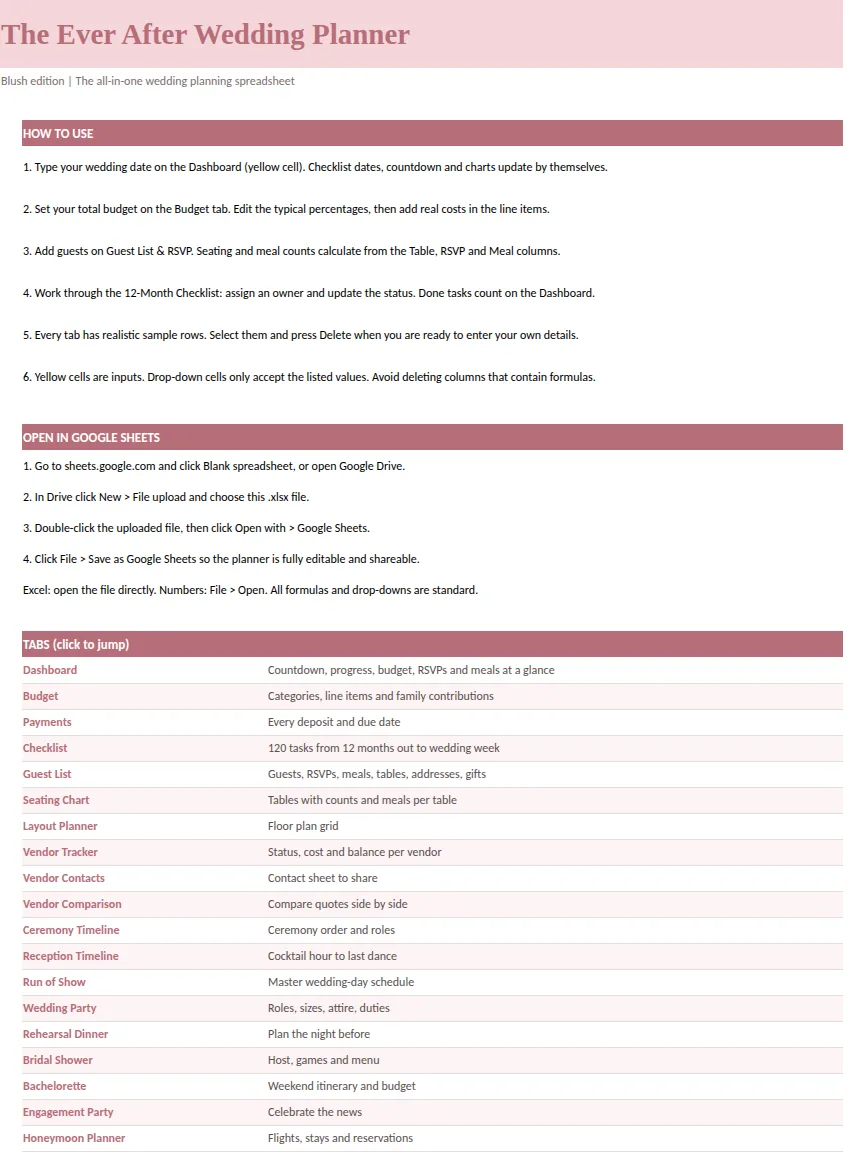
Ever After Planner includes printable PDF pages designed for a binder, with a Start Here guide and planning pages that mirror the working spreadsheet: checklist, budget, guests, vendors and schedules. The spreadsheet, a 33-tab file in five color versions, remains the master that calculates dates, totals and counts, and the PDF pages are what you print from it. It works in Excel, Google Sheets and Numbers.
For the paper layer of the checklist, see the printable wedding checklist guide. For the digital side, the wedding planner template guide explains the nine parts a complete planner needs.
This guide is general planning information. Keep signed agreements in a safe place and follow their terms.