Wedding Planner Template: What the Best Ones Include
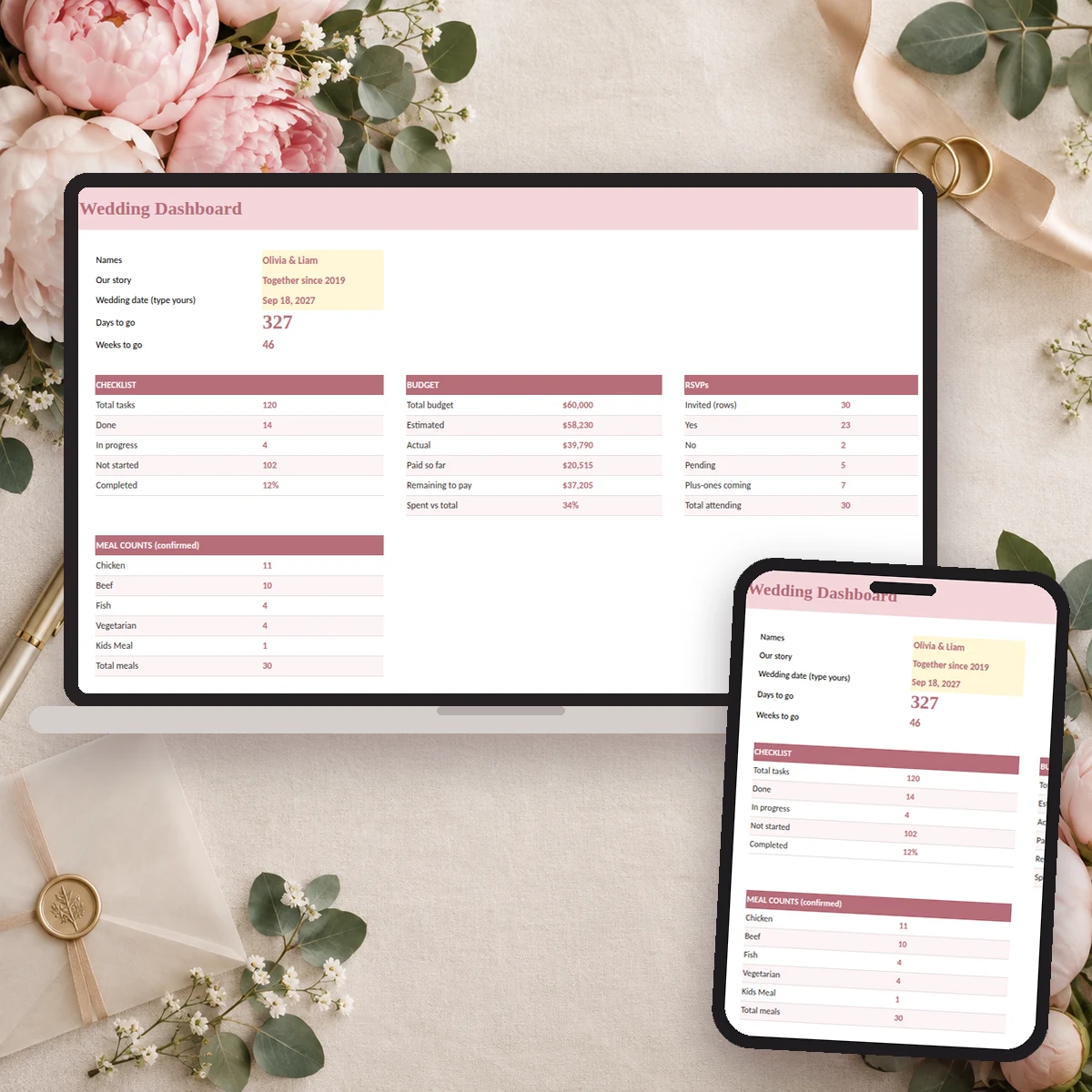
A wedding planner template is only as good as the connections between its parts. Anyone can lay out a budget table or a to-do list. The ones that make planning feel calm are the ones where the guest count feeds the catering number, the vendor deposit appears in the budget and the checklist tells you what is due this month without you having to ask.
This guide shows what a complete template contains, how to judge one in five minutes, and how Excel, Google Sheets and paper compare. If you are shopping for the best wedding planner setup for a DIY wedding, use it as a scorecard.
The nine parts of a complete wedding planner template
1. A dashboard that answers "where are we?"
You should be able to open one page and see the number of days to go, the share of the checklist that is done, how much of the budget is committed and paid, and how many guests have said yes. If you need to dig through four tabs to find that, you will stop looking. A dashboard turns a heavy project into a glance.
2. A dated checklist
A list of tasks without dates is a wish list. A good template ties each task to your wedding date, so it moves when the date moves, and groups tasks by how far out you are. See the month-by-month checklist guide for what that sequence looks like.
3. A budget with three numbers per line
Estimated, actual and paid. Most free budgets stop at one number, and that is how couples discover in month nine that they have spent more than they thought. Our wedding budget template guide explains how to use the three columns together.
4. A payments schedule
Deposits, second payments and final balances each have a due date. A payments tab with a status and a "days until due" counter keeps the late fee away and turns a stressful month into a routine one.
5. A guest list with RSVP, meals and tables
One row per person, with a response, a meal choice and a table number. When this lives in the same file as the rest, the dashboard can show confirmed guests and meal counts without extra work. More in the guest list template guide.
6. A seating chart that reads from the guest list
If seating is a separate drawing, every RSVP change means redoing it. If it reads table numbers from the guest list, open seats and meal counts per table update by themselves. See the seating chart guide.
7. A vendor tracker with comparison
Status, total cost, paid, balance and service date for each vendor, plus a place to put quotes side by side before you sign. The vendor tracker guide goes through the fields.
8. Ceremony, reception and day-of schedules
The run of show is where the plan becomes a day. A template that includes a ceremony timeline, a reception timeline and a master schedule lets you hand the same sheet to your coordinator, your photographer and your sister.
9. The events around the wedding
Engagement party, bridal shower, bachelorette, rehearsal dinner, honeymoon, packing lists, thank-you notes and name change. They are not the main event, but they take planning hours. Having them in the same file stops them from living in your notes app.
How to judge a template in five minutes
- Change the wedding date. Do the checklist dates move?
- Change one budget line. Do the totals and the dashboard follow?
- Mark a guest as "Yes" and give them a table. Do the meal count and the seating chart change?
- Add a vendor payment. Does it show on the budget and the due-date list?
- Print one tab. Is it readable on a standard page?
If it fails two of those, you have a set of pretty tables, not a planner.
Excel, Google Sheets or paper?
| Format | Strong point | Watch out for |
|---|---|---|
| Excel file | Full formulas, drop-downs, works offline | Harder to co-edit live |
| Google Sheets | Two people edit at once, phone app | Confirm formulas survive the import |
| Printed pages | Easy to hand to a parent or a vendor | No automatic totals |
Most couples end up using two: the spreadsheet for the working file, paper for meetings and the wedding week. Pick a template that supports both, so you are not re-typing.
What "best" depends on
The best wedding planner template for you depends on three things:
- Size of the wedding. A 40-person dinner needs fewer tabs than a 180-person weekend. But the structure is the same, and you can ignore the rows you do not need.
- How many people are planning. If parents, a planner or a maid of honor will touch the file, you need clear input cells and a "start here" page.
- How much you want to trust the totals. The more formulas do the arithmetic, the fewer mistakes you will chase later.
A ready-made option
Ever After Planner is built on this nine-part structure. It is a 33-tab planner in five color versions (Blush, Champagne, Dusty Blue, Lavender and Sage), with a dashboard, a 120-task checklist that dates itself from your wedding day, a budget with estimated, actual and paid columns, a payments tab with due-date flags, a guest list with RSVP and meal choices, a seating chart that reads from it, vendor tracker, contacts and comparison tabs, ceremony and reception timelines, a run of show and tabs for the rehearsal dinner, bridal shower, bachelorette, honeymoon, packing and thank-you notes. It works in Excel, Google Sheets and Numbers, and it includes printable PDFs for the pages you want on paper.
Sample rows are already filled in, so you can see how the sheets work before you type your own details. Yellow cells are inputs; the rest calculate.
Set it up in one evening
- Type your wedding date and names on the dashboard.
- Enter your total budget and, if people are contributing, their pledges.
- Paste in the first draft of your guest list, even if it has gaps.
- Add any vendors you have already booked, with their deposits.
- Work through the first three months of the checklist.
You will not finish in an evening, and you do not need to. You will have something better than a folder of notes: one place where every decision lands.
This guide is general planning information. Always follow the terms of your own vendor agreements.